How do I switch between regions in Honeycomb?
Last updated: August 27, 2026
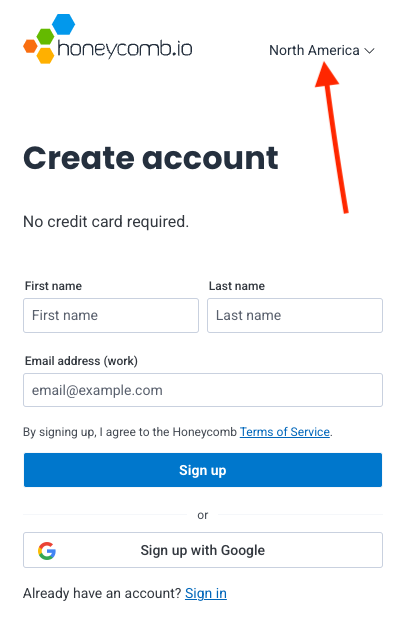
The switch to choose a region (currently North America or the European Union) can be found here on both the sign-up and login screens here:
Important: Each region is a completely separate instance with its own team and login credentials. The region switcher allows you to choose which instance to log into, but you cannot use the same credentials across regions.
If you have any questions about Honeycomb’s regional instances, don’t hesitate to get in touch with Honeycomb Support at support.honeycomb.io
Related Links
Honeycomb launches data residency in Europe
Can I migrate to Honeycomb’s EU instance from the US, or vice versa?